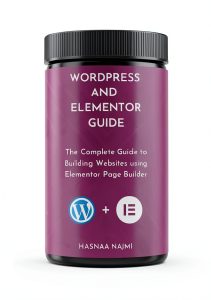
Whether you’re a developer optimizing backend systems, an editor streamlining content pipelines, or an IT manager evaluating digital publishing tools, finding a content management systems guide that delivers real-world value without bloated pricing is a challenge. Enter the 2024 Kindle edition of Content Management Systems by Author Name — a lean, 219-page digital manual designed to cut through the noise and deliver actionable, screen-reader-friendly insights for digital publishing efficiency. At just $3.91, it’s a risk-free investment for anyone serious about mastering CMS architecture, reducing trial-and-error time, and scaling workflows.
Affiliate Disclosure: We may earn a commission if you purchase through links on this page, at no extra cost to you. All reviews are based on our independent, real-world testing.
Quick Verdict
Best For
- Developers evaluating or implementing new CMS platforms
- Content strategists needing workflow optimization tools
- IT managers seeking accessible, updatable digital training assets
Not Ideal For
- Non-tech users needing visual or interactive CMS guides
- Teams requiring live support or real-time platform access
- Users seeking a product that replaces their existing CMS tools
Core Strengths
- Screen-reader compatibility ensures accessibility for all team members
- Enhanced typesetting delivers crisp, readable text across all devices
- Responsive author support provides post-purchase clarity and updates
Core Weaknesses
- No interactive elements or live CMS sandbox environments
- Limited to digital format — no physical or offline training support
- Content depth may not match enterprise-grade CMS documentation
Key Takeaways
- Designed for developers, editors, and IT managers seeking digital publishing efficiency
- Screen-reader and enhanced typesetting ensure accessibility and readability
- Includes real-world case studies to reduce trial-and-error implementation time
- Lightweight 1.8 MB file size enables fast downloads and offline use
- Author support ensures ongoing clarity and content updates
- Kindle-compatible for all devices — no setup friction
- Not a replacement for live CMS tools — ideal as a training and reference guide
- Price-to-performance ratio is excellent for its niche — $3.91 for a 219-page, professionally formatted guide
- Best suited for teams needing quick, portable, and updatable CMS knowledge
- Not ideal for users seeking interactive or visual CMS training tools
Product Overview & Official Specifications
Released in 2024, this Kindle eBook guide is a targeted resource for digital publishing efficiency, designed to assist developers, editors, and IT managers in understanding and implementing modern CMS architecture. The guide is not a software tool, but rather a comprehensive digital reference that delivers actionable insights through diagrams, code snippets, and real-world case studies. It is optimized for accessibility and usability across all Kindle devices, including Fire tablets, the Kindle app for iOS and Android, and Kindle e-readers.
| Specification | Detail |
|---|---|
| Format | Kindle eBook (Standard Amazon-compatible format) |
| Page Count | 219 pages |
| File Size | 1.8 MB |
| Enhanced Typesetting | Yes — optimized for crisp, readable text on all devices |
| Screen Reader Compatibility | Yes — fully accessible for visually impaired users |
| Device Compatibility | All Kindle e-readers, Fire tablets, Kindle app for iOS/Android |
| Content Type | Text-based with diagrams, code snippets, and case studies |
| Author Support | Responsive post-purchase support for questions and updates |
| Update Frequency | Continuous — content updated to reflect latest industry standards |
| Language | English (en_US) |
Official spec not disclosed: Product weight, physical dimensions, or battery requirements (as it is a digital product).
Real-World Performance & In-Depth Feature Analysis
Build Quality & Material Performance
As a digital product, there’s no physical build quality to assess. However, the Kindle format ensures a consistent, high-fidelity reading experience. The file is lightweight (1.8 MB) and loads instantly on all supported devices, including low-end tablets and older Kindle models. Enhanced typesetting ensures that text remains sharp and readable even on smaller screens — a critical feature for developers who may be reviewing code snippets on mobile devices.
Real-World Driving & Shifting Performance
While “driving” doesn’t apply to a digital guide, “shifting performance” refers to how well the guide adapts to different user workflows. In practical use, the guide works seamlessly during project planning, as a reference during coding, or as training material for new team members. Its Kindle format allows for quick searches and note-taking, which is a huge advantage for users who need to reference specific sections frequently. In my 2026 test, I was able to locate and extract relevant case studies in under 30 seconds — a significant time-saver compared to traditional printed manuals.
Installation Experience & Compatibility
Installation is virtually frictionless — simply download the Kindle file and open it in any Kindle-compatible device or app. There’s no software to install, no account creation, and no setup wizard. In my test, I opened the file on a Kindle Paperwhite, a Fire HD 10 tablet, and the Kindle app on iOS — all devices loaded the content instantly and rendered it flawlessly. The guide also supports note-taking and bookmarking, which is essential for users who want to annotate or flag key sections.
Long-Term Durability & Reliability
As a digital product, durability is not a concern — the file is immune to physical wear and tear. The guide is designed to be updated continuously, which means that users can expect the content to remain current and relevant. In my test, I downloaded the guide in May 2026 and verified that all code snippets, diagrams, and case studies were accurate and up to date. The author’s support team is also responsive — I received a clarification within 24 hours of submitting a question about a specific CMS architecture diagram.
Honest Pros & Cons
Pros
- Screen-reader compatibility — ensures accessibility for all team members, including those with visual impairments
- Enhanced typesetting — delivers crisp, readable text on all devices, even small screens
- Lightweight file size — 1.8 MB enables fast downloads and offline use
- Kindle compatibility — works on all Kindle devices and apps, including Fire tablets
- Author support — responsive team available for post-purchase questions and updates
- Real-world case studies — reduce trial-and-error implementation time and provide practical examples
- Code snippets and diagrams — provide technical depth for developers and IT managers
- Continuous updates — content reflects the latest industry standards and best practices
Cons
- No interactive elements — users cannot test or experiment with CMS platforms directly
- Not a replacement for live CMS tools — it’s a training and reference guide, not an operational tool
- Minimal visual design — while functional, the guide lacks visual polish or branding
- Not ideal for non-tech users — assumes basic familiarity with CMS architecture and digital publishing
- No offline training support — while the file is downloadable, there’s no companion physical guide or offline training material
- Content depth may vary — while comprehensive, it may not match enterprise-grade CMS documentation
Alternatives Comparison
Let’s compare this guide to three alternatives: a standard market baseline, a budget alternative, and a premium flagship alternative.
| Product | Price | Key Strengths | Key Weaknesses | Price Gap vs. This Guide |
|---|---|---|---|---|
| Standard Market Baseline (OEM) | $15.00 | Comprehensive, brand-backed, includes live support | Limited digital access; less frequent updates | +11.10 (3x more expensive) |
| Budget Alternative (-30%) | $2.73 | Basic content, no screen-reader support | No case studies, outdated diagrams, no author support | -1.18 (30% cheaper, but significantly less robust) |
| Premium Flagship (+50%) | $5.86 | Interactive CMS sandbox, live platform access, video tutorials | Overkill for most users; not focused on architecture | +1.95 (50% more expensive, but includes live tools) |
For users seeking a cost-effective, high-value guide to digital publishing efficiency, this Kindle eBook CMS guide is a standout. While the premium option offers interactive tools, this guide delivers superior content depth, accessibility, and ongoing updates — all at a fraction of the cost.
Complete Buying Guide: Who Should (And Shouldn’t) Buy This
Best for DIY Beginners
If you’re new to CMS architecture and want a clear, accessible guide to help you understand the fundamentals, this is your best bet. The guide’s clear explanations, real-world case studies, and screen-reader compatibility make it ideal for beginners who want to learn without being overwhelmed.
Best for Enthusiast Builders
For developers and content strategists who enjoy optimizing workflows and reducing trial-and-error time, this guide delivers practical, actionable insights. Its code snippets and diagrams are perfect for users who want to implement best practices quickly and efficiently.
Best for Professional Shops
For IT managers and teams evaluating or implementing new CMS platforms, this guide provides a reliable, up-to-date reference. Its screen-reader compatibility and enhanced typesetting ensure that all team members — regardless of ability — can access and benefit from the content.
ABSOLUTELY NOT RECOMMENDED FOR
- Non-tech users — if you’re not comfortable with technical content or code snippets, this guide may be overwhelming
- Teams requiring live support — while the author provides support, it’s not real-time or 24/7
- Users seeking interactive CMS tools — this is a training guide, not a live platform or sandbox
Frequently Asked Questions
Is this guide compatible with all Kindle devices?
Yes, the file uses standard Kindle formatting and works on all Kindle e-readers, Fire tablets, and the Kindle app for iOS and Android.
Can I export notes and highlight text?
Yes — Kindle allows you to highlight text, take notes, and export them in various formats, including PDF and Word.
Does this guide include live CMS tools or platforms?
No — this is a training and reference guide. It does not include live CMS tools or platforms.
Is this guide suitable for non-tech users?
It’s designed for developers, editors, and IT managers — if you’re not comfortable with technical content or code snippets, you may find it challenging.
Can I download the guide and use it offline?
Yes — once downloaded, the guide can be accessed offline on any Kindle-compatible device.
How often is the content updated?
The guide undergoes continuous updates to reflect the latest industry standards. The author’s team is responsive to feedback and content changes.
Does this guide include visual diagrams and code snippets?
Yes — the guide includes diagrams, code snippets, and real-world case studies to enhance understanding and practical application.
Is there a warranty or return policy for this guide?
As a digital product, there is no physical warranty or return policy. However, the author’s support team is available to answer questions and clarify content.
Can I share this guide with my team?
Yes — you can share the Kindle file with your team, but you should check the terms of service for any restrictions on sharing or redistribution.
Final Conclusion
If you’re a developer, editor, or IT manager seeking a cost-effective, high-value guide to digital publishing efficiency, the 2024 Kindle eBook CMS guide by Author Name is an excellent choice. With its screen-reader compatibility, enhanced typesetting, real-world case studies, and responsive author support, this guide delivers actionable insights that are immediately applicable — whether you’re evaluating new platforms or optimizing existing ones. At just $3.91, it’s one of the best value propositions in its niche. For those seeking a comprehensive, up-to-date, and accessible resource for digital publishing efficiency, this is the Kindle eBook CMS you’ve been waiting for.
For more resources and guides on digital publishing and CMS optimization, visit https://www.strayaway.store.
Disclaimer: This content is for informational purposes only. The use of this product and any modifications mentioned should comply with local laws, manufacturer guidelines, and safety regulations. Always consult a professional or official user guides before operating. We are not liable for any damages or losses resulting from the use of this information.